Twitch Extension

Your Viewers'
Voices, On Stream

VoiceClone TTS lets Twitch viewers send text-to-speech messages using AI voice cloning. Viewers use Bits to have their message spoken on stream in a voice that sounds authentically human.

From the Panel to Your Stream

Viewers pick a voice and type a message in the panel under your stream. It plays on stream with their name on it. Try it yourself.

VoiceClone TTS
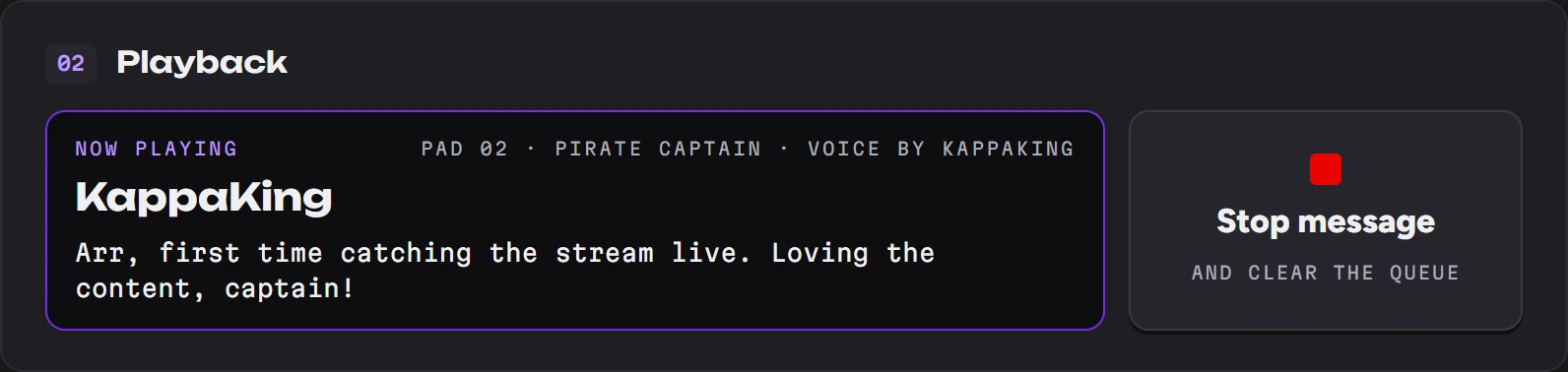
Playing
Pad 02
Pirate Captain
Voice by KappaKing
Message from KappaKing

Arr, first time catching the stream live. Loving the content, captain!

On stream. The OBS overlay plays each message and shows who sent it.
Try it
The real panel. Pick a voice, type, and send. It's a demo: no Bits are used.

Everything You Need for
Interactive Streams

Powerful AI voice technology meets seamless Twitch integration.

Real-Time TTS

Messages are spoken aloud on stream within seconds. WebSocket technology ensures zero perceptible delay.

Twitch Bits Integration

Viewers use Bits to have their message spoken on stream, in the voice they pick.

Content Moderation

Built-in text filtering keeps your stream safe. Automatic profanity detection and customizable banned word lists.

OBS Overlay

One browser source. While a message plays, a card shows the voice, the sender's username and their message. Works in OBS, Streamlabs, or any broadcast software.

Voice Library

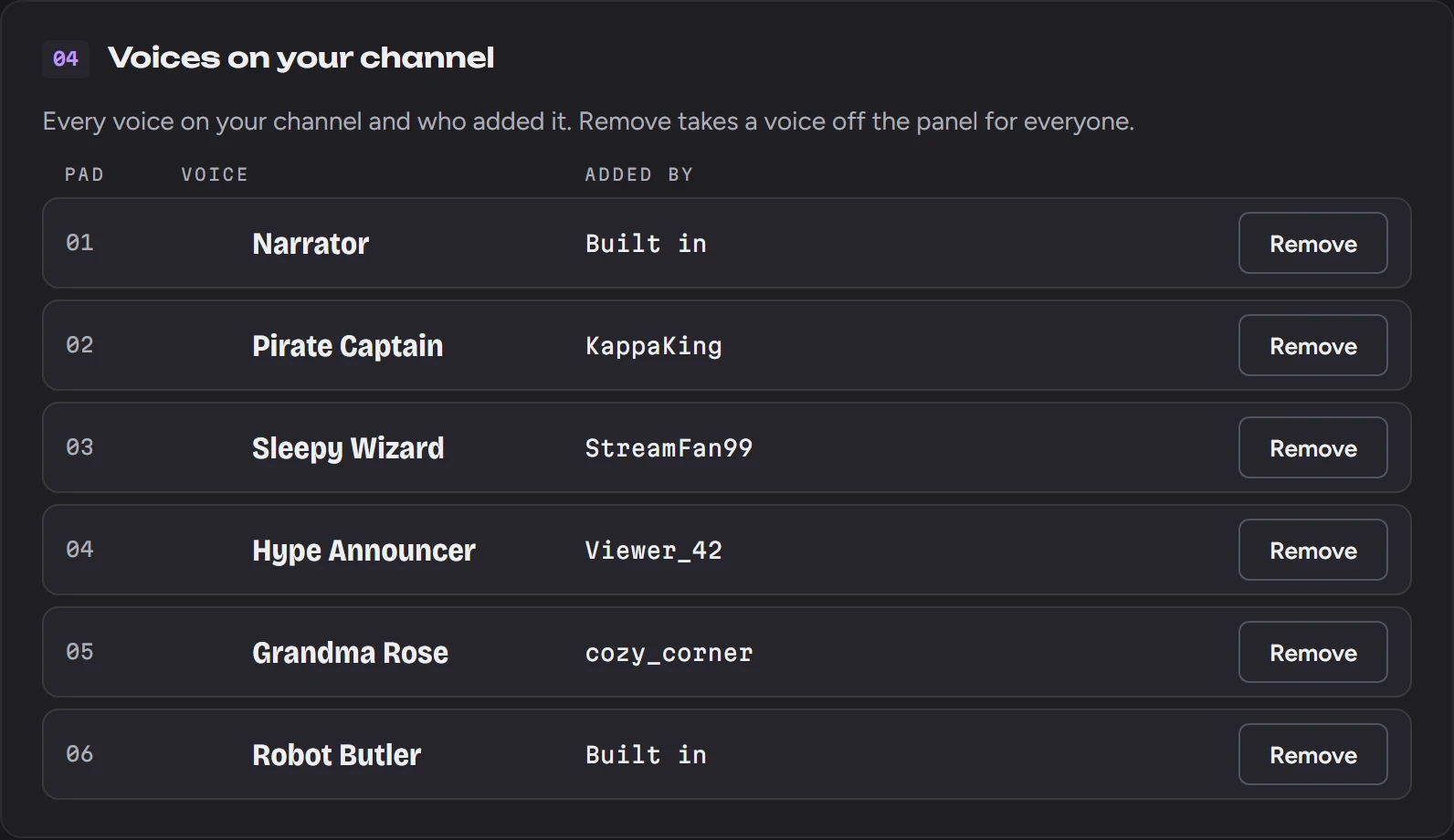
Manage multiple cloned voices per channel. Switch between character voices, your own voice, or premium AI voices.

Your Channel, Your Call

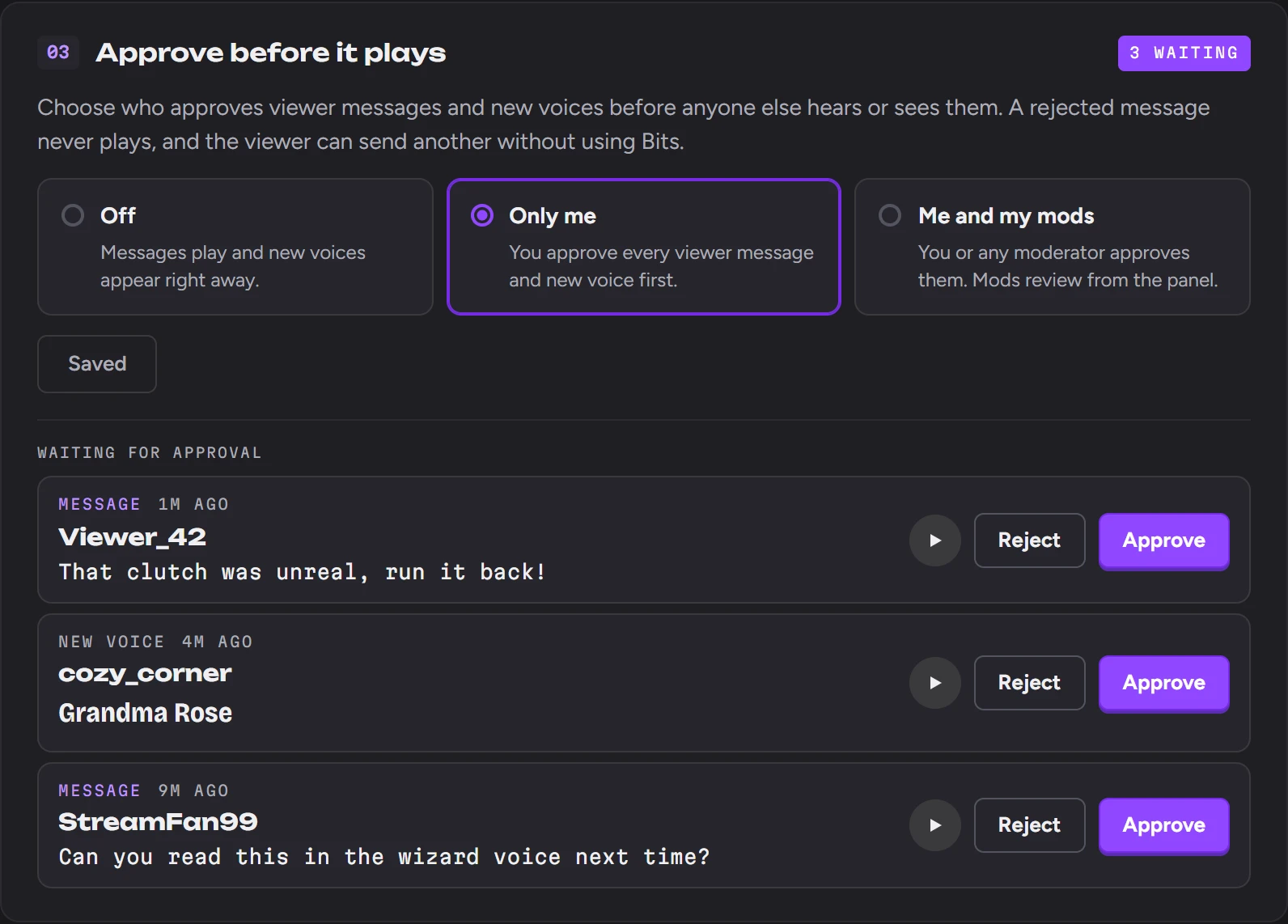
One setup page in your Twitch dashboard for everything viewers send.
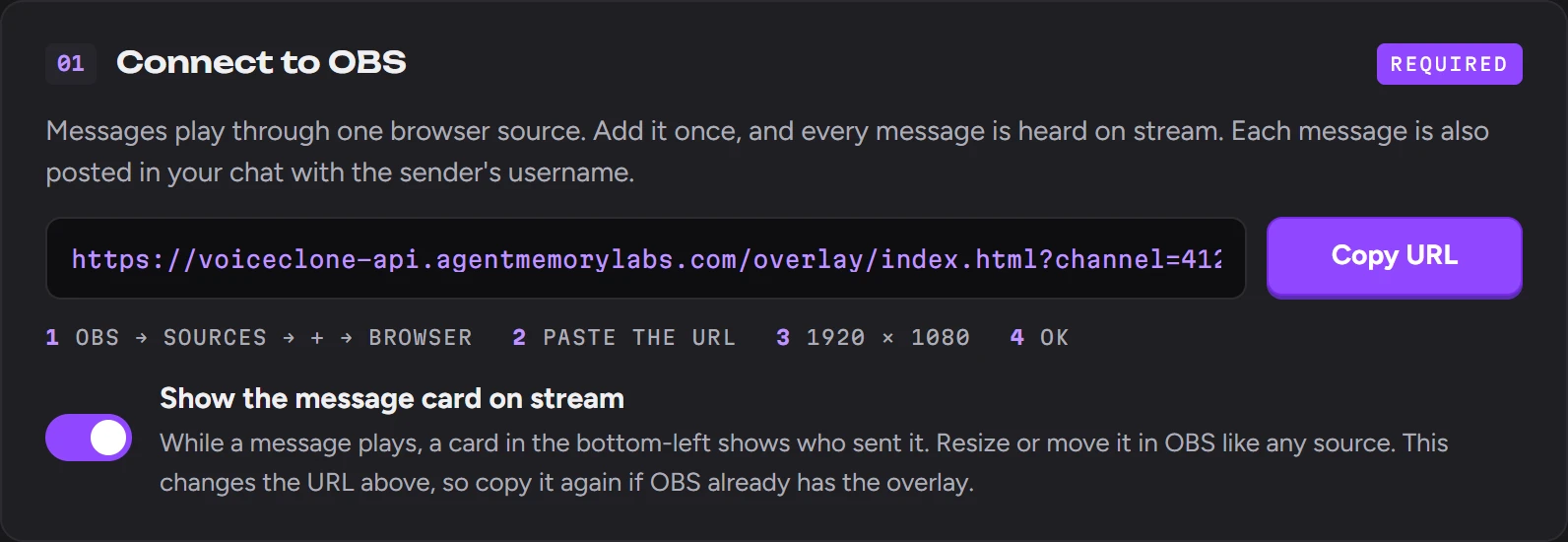
Connect to OBS: the overlay URL with a Copy URL button and a switch for the on-stream message card.

Add one browser source. Every message plays through it, with a card showing who sent it.
Setup in 3 Minutes

No complicated configuration. Install, authorize, and start engaging.

01

Install Extension

Add VoiceClone TTS from the Twitch Extension Store to your channel. One click, zero hassle.

02

Add OBS Overlay

Copy the browser source URL into OBS. Each message plays through it with a card showing who sent it.

03

Start Engaging

Viewers use Bits to send voice messages. Each one plays on your stream with the sender's username.

Simple Bits Tiers

Each message uses Bits based on its length. No subscriptions.

Bits per Message

Bits
Up to 200 characters 100 Bits
Each extra 100 characters (up to 1,000) +100 Bits
"Hello Stream!" = 100 Bits
  • Voice cloning from a 10–60 second clip
  • Content moderation included
  • OBS overlay shows who sent each message
  • Broadcaster can remove any voice
Get Started

Ready to Give Your Viewers a Voice?

Give your viewers a new way to take part in your stream, in a voice they choose.

Install on Twitch

Free to install.